
© 2026
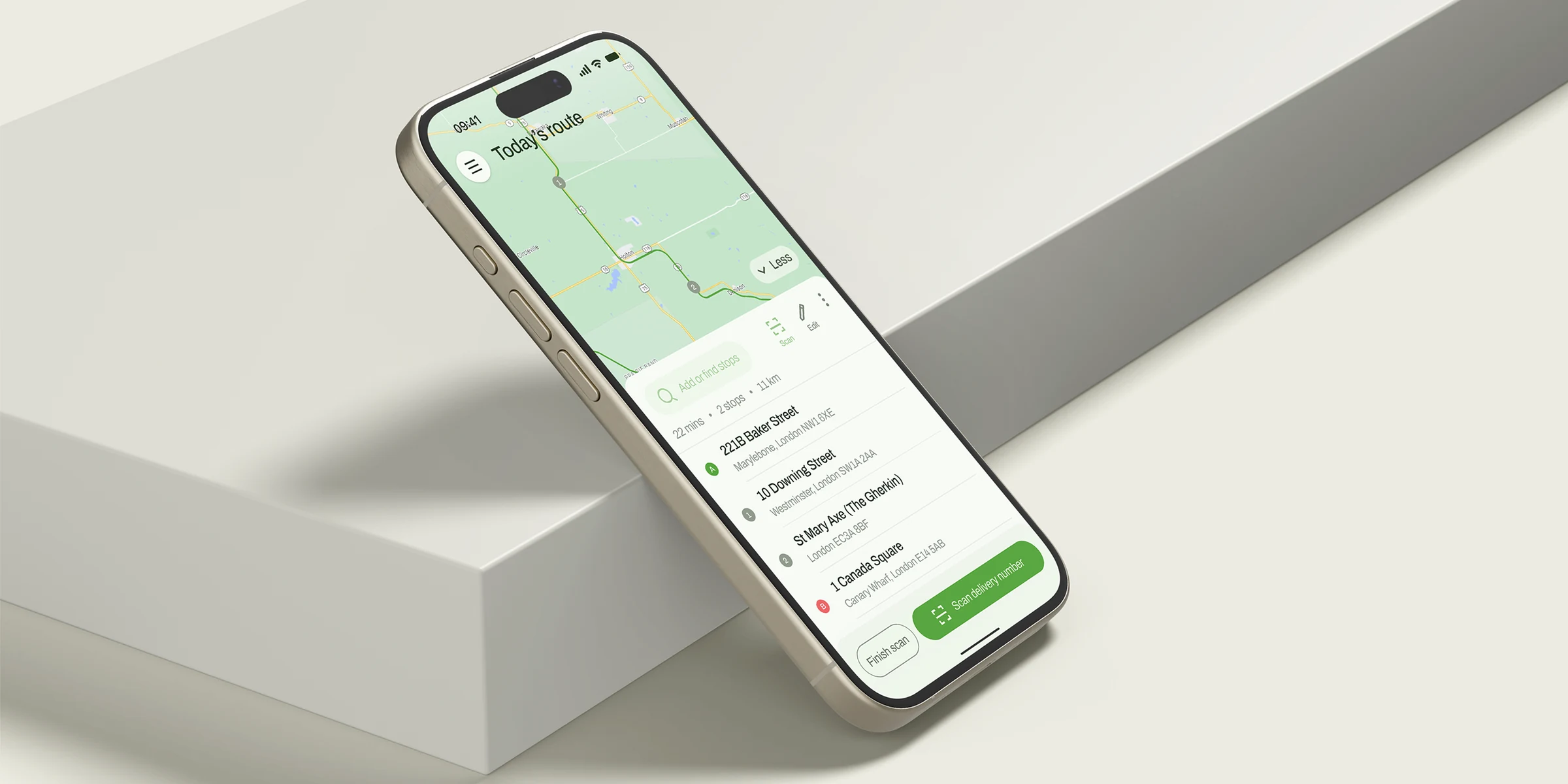
Courier is a mobile route app for delivery drivers and small courier teams. I designed it end to end with the founder, who has more than ten years in logistics, taking it from first sketches to a first version that launched in under three months.
Drivers and small courier teams were planning routes in spreadsheets and general-purpose apps. Planning was slow, tracking was confusing, and updating a stop took too many steps.
The goals:
Let a driver build a route in whichever way suits them.
Get from a list of stops to a route in progress in as few steps as possible.
Keep every stop update quick enough to do while on the move.
There was no formal research phase. The product was shaped through daily conversations with the founder, voice notes, whiteboard sketches and quick Figma exploration, and refined with early driver feedback after launch.
Drivers want to start a route quickly, not configure it.
Some come as a spreadsheet, some as parcels, some as a list in someone's head.
It happens many times a day, often in a hurry.
The product principle was “one route, three ways in”. The core set is choosing how to build a route (manual, import or scan); a route builder with stops and optimisation; Today's route, with delivered and failed states; and route history and settings.
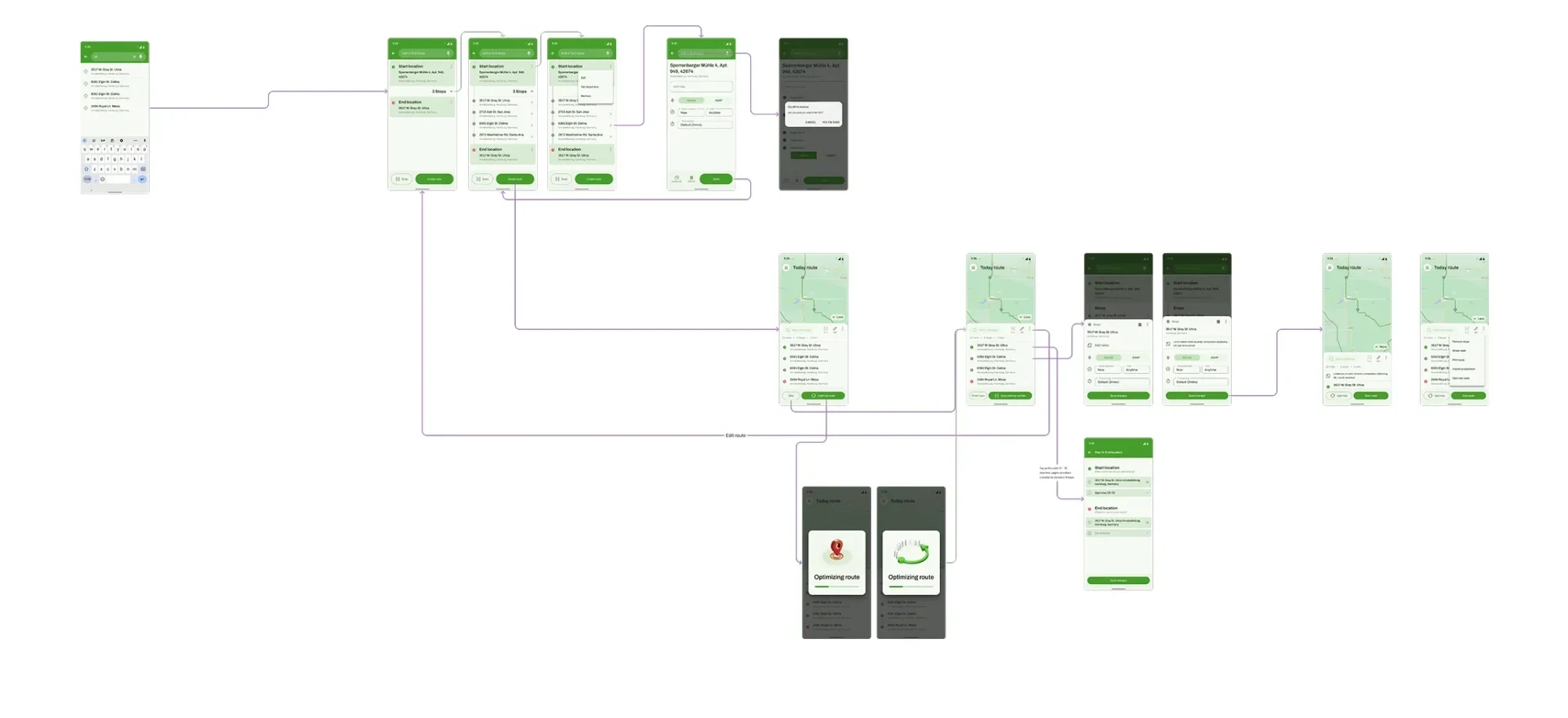
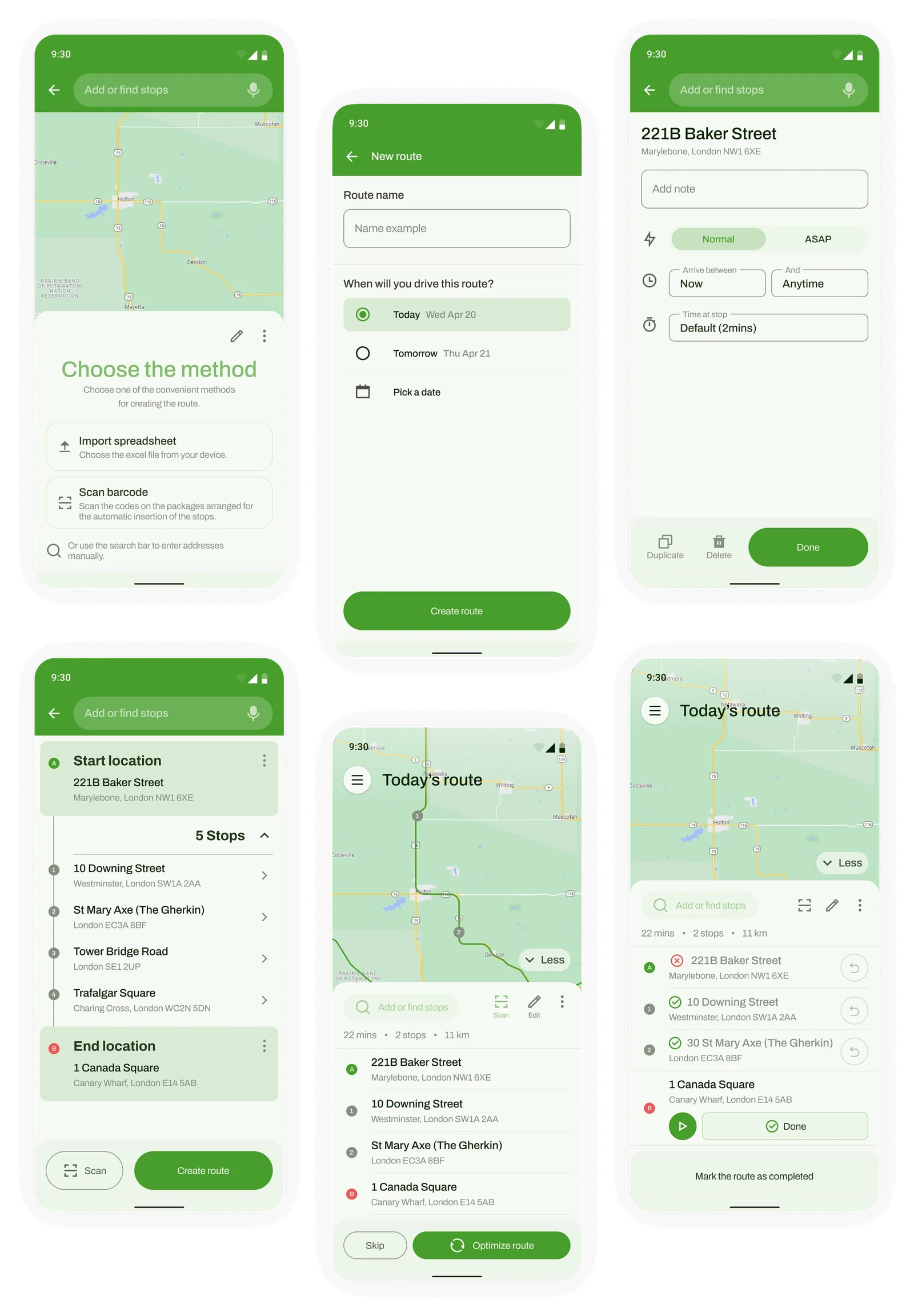
The driver searches for an address, adds it as a stop and drags the stops into the right order. Optimise then arranges the route, and Today's route shows the result with every stop open to edit. It suits drivers who already know where they are going.
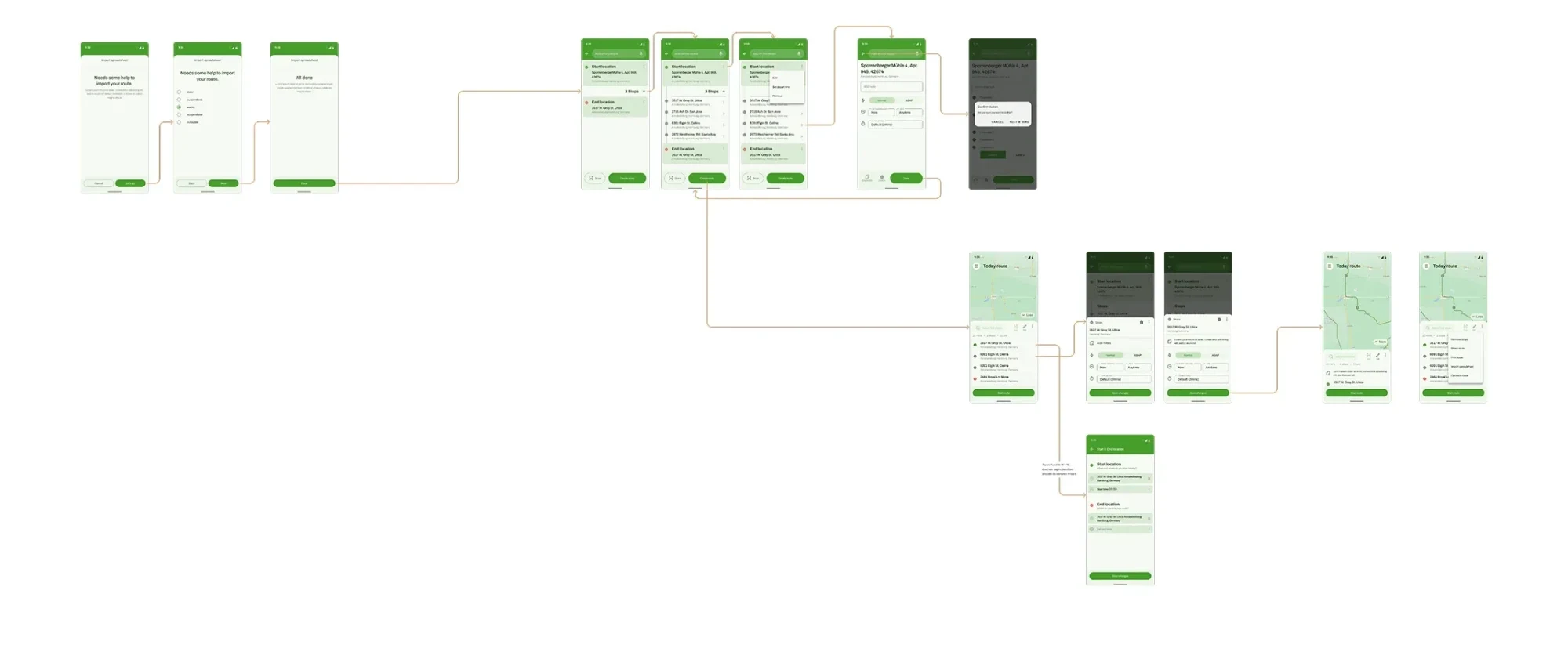
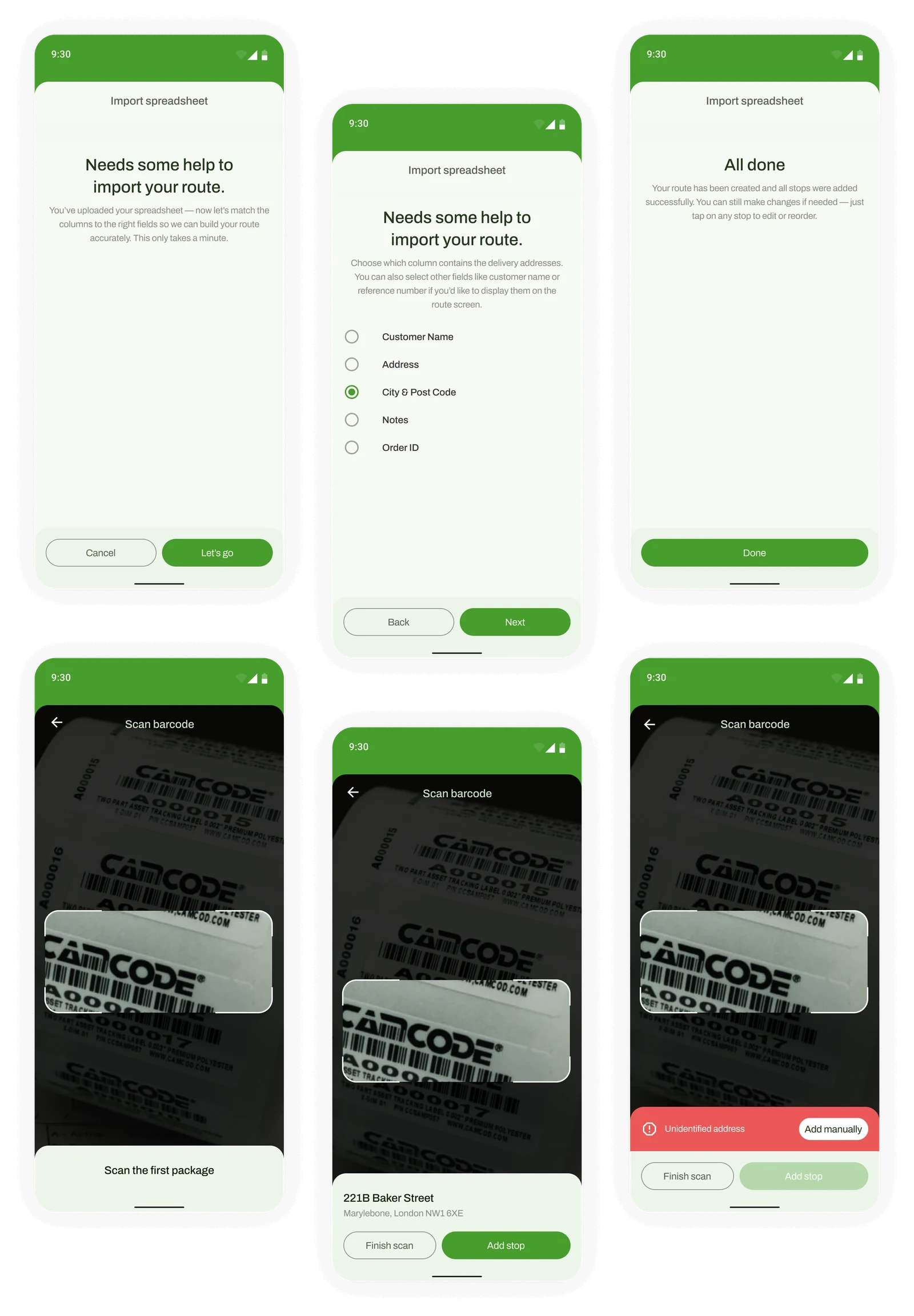
The driver brings in a spreadsheet, matches its columns and validates the stops before anything goes on the route. From there the flow joins the same route builder and Today's route as the manual path, so a list that already exists never has to be retyped.
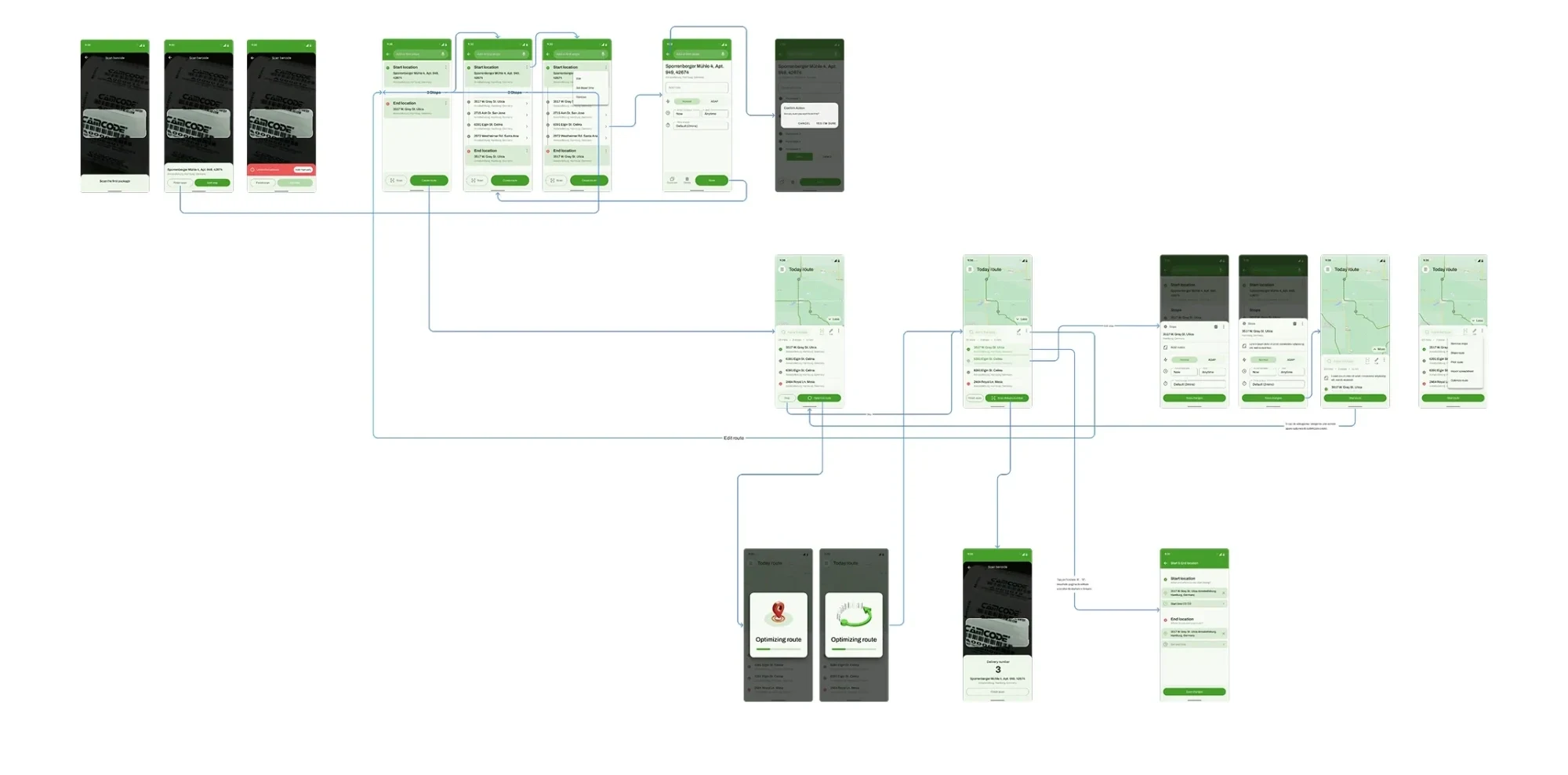
The driver scans parcel barcodes with the camera to add stops one by one. If an address isn't recognised, there is a clear path to add it manually, so a failed scan never blocks the route. Scanned stops go through the same route builder and optimisation as the other two flows.
The final screens bring the three methods together: a screen to choose how to build a route, the route builder and stop detail, Today's route with the option to optimise, and a route in progress. Import, scan, and the settings and history screens complete the app.
The first six screens follow one route from start to finish. The driver chooses a method, names the route and picks a day, then sets the details of a stop: a note, normal or ASAP priority, an arrival window and the time spent there. The builder shows the start, the stops and the end location, Today's route offers to optimise the order, and the route in progress marks each stop delivered or failed.
The second batch covers the two faster ways in. Import guides the driver through matching spreadsheet columns, such as the one holding delivery addresses, and ends with a clear confirmation that the route is ready. Scan opens the camera on a parcel barcode, shows the recognised address with Add stop, and offers Add manually when an address can't be identified.
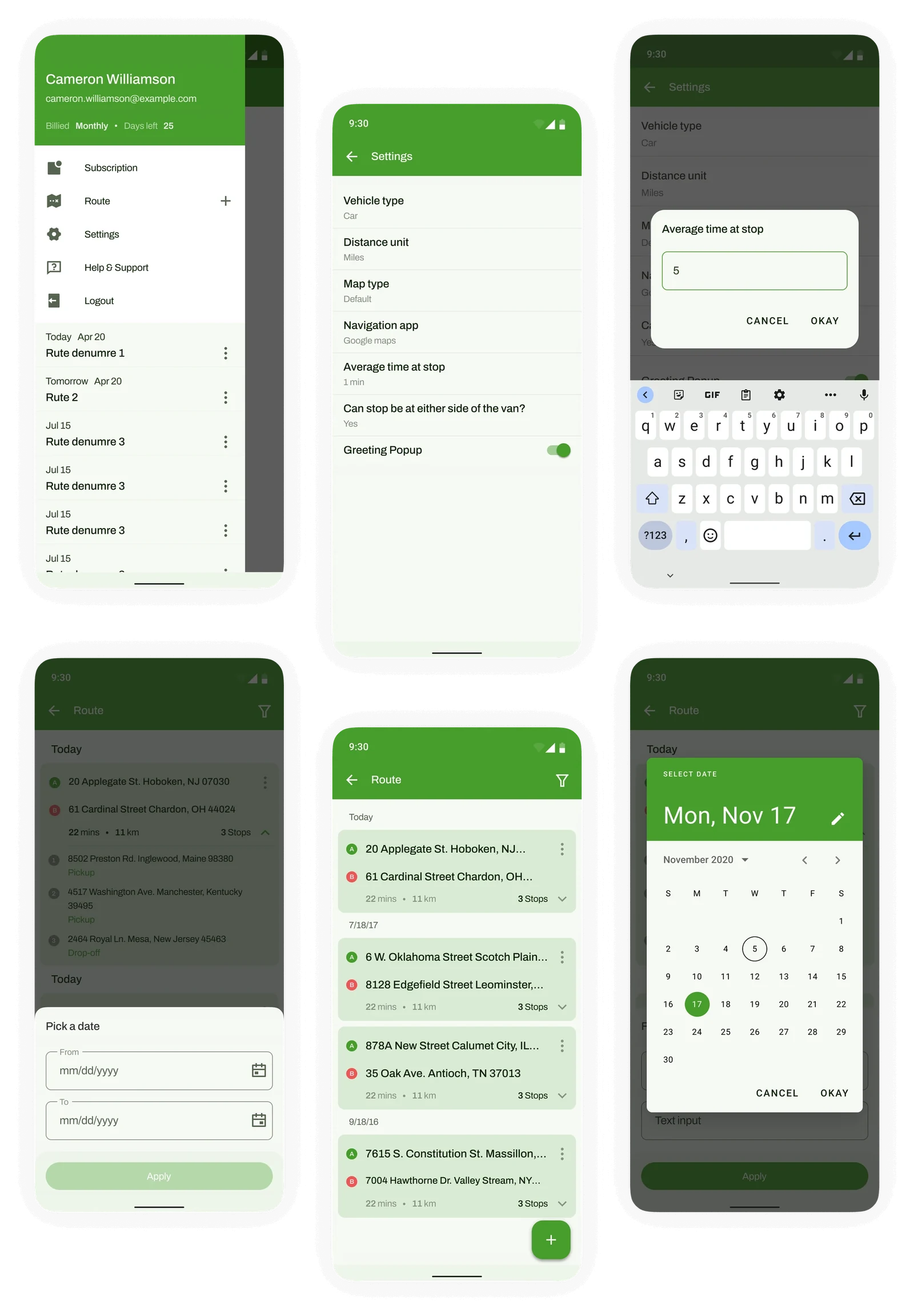
The last batch is everything around the route itself. A side menu gives access to the account, routes, settings and help, while settings hold vehicle type, distance unit, map type, navigation app and average time at a stop. Route history lists past routes and can be filtered by date, so earlier work is easy to find again.
The first version launched in under three months. Drivers valued its simplicity, and one said they could plan and start a route in under a minute. It's now used by small courier teams handling dozens of stops a day.
2 min
to plan a route, down from 15+ min
500+
active users
With a founder who knows the work, short daily conversations can replace a formal research phase, and early launches show where to refine.
More route-optimisation options, team features for managing several drivers, and usability testing with a wider group of drivers.